Help: SQL Server

Sharing my knowlege about SQL Server Troubleshooting Skills

  • Blog Stats

    • 2,157,107 hits
  • Select GETDATE()

    March 2026
    M T W T F S S
     1
    2345678
    9101112131415
    16171819202122
    23242526272829
    3031  

A-Z of In-Memory OLTP : TSQL Constructs for In-Memory

Posted by blakhani on December 5, 2013


To build a mega-structure, we need strong foundation. To start such tasks, we need to have knowledge of right tools available. Similarly, in SQL world, you would not be using SQL Server Management Studio UI all the time to do small tasks. All deployments are done by scripts. Once I had chat with my friend Vinod (b|t) and I asked him – Why do you think T-SQL is important. As always, he thought, smiled and said “For a rail to get from one location to another one needs to have a strong rail. These rails not only link the two destination end points but guide the trail with all its carts to this destination. In a similar way, to get started with any programming inside SQL Server, one needs to know TSQL code.”

In-Memory OLTP has a number of changes/improvements that get introduced with TSQL. This blog post of “A-Z of In-Memory OLTP” series, will bring some of these changes that you need to know when working with In-memory OLTP. What would happen under the hood, when these T-SQL codes are executed, would be explained in later posts of this series. There are T-SQL extensions added in existing CREATE DATABASE, CREATE TABLE and CREATE PROCEDURE commands. Let’s begin…

Create In-Memory OLTP database

CREATE DATABASE command has new extension called MEMORY_OPTIMIZED_DATA. It is also available in ALTER DATABASE as well. Below is the quick sample:

CREATE DATABASE SQLSeverHelp_IMO ON PRIMARY (
    NAME = [SQLSeverHelp_IMO_data]
    ,FILENAME = 'C:\IMO_Database\SQLSeverHelp_IMO.mdf'
    )
    ,FILEGROUP [SQLSeverHelp_IMO_FG] CONTAINS MEMORY_OPTIMIZED_DATA (
    NAME = [SQLSeverHelp_IMO_dir]
    ,FILENAME = 'C:\IMO_Database\SQLSeverHelp_IMO_dir'
    ) LOG ON (
    NAME = [SQLSeverHelp_IMO_log]
    ,Filename = 'C:\IMO_Database\SQLSeverHelp_IMO_log.ldf'
    )
GO

I have highlighted the syntax used to create storage for In-Memory Optimized objects, a filegroup which is container for MEMORY_OPTIMIZED_DATA. Once we run this command, SQL Server is going to create folder given in FILENAME parameter.  Let’s say we already have a “regular” database and we want to add a new filegroup, here is the syntax.

CREATE DATABASE SQLSeverHelp_IMO ON PRIMARY (
    NAME = [SQLSeverHelp_IMO_data]
    ,FILENAME = 'C:\IMO_Database\SQLSeverHelp_IMO.mdf'
    ) LOG ON (
    NAME = [SQLSeverHelp_IMO_log]
    ,Filename = 'C:\IMO_Database\SQLSeverHelp_IMO_log.ldf'
    )
GO

-- Adding MEMORY_OPTIMIZED_DATA filegroup 
USE [master]
GO

ALTER DATABASE [SQLSeverHelp_IMO] ADD FILEGROUP [SQLSeverHelp_IMO_FG] CONTAINS MEMORY_OPTIMIZED_DATA
GO

ALTER DATABASE [SQLSeverHelp_IMO] ADD FILE (
    NAME = N'SQLSeverHelp_IMO_dir'
    ,FILENAME = N'C:\IMO_Database\SQLSeverHelp_IMO_dir'
    ) TO FILEGROUP [SQLSeverHelp_IMO_FG]
GO

Behind the scene, SQL Server uses FIleStream technology. Note that only one filegroup is allowed. Here is the error in case we try to add more filegroup contains MEMORY_OPTIMIZED_DATA

Msg 10797, Level 15, State 2, Line 3
Only one MEMORY_OPTIMIZED_DATA filegroup is allowed per database.

Above does not mean that we can’t have multiple files/folders. That’s just a limitation to number of filegroups having MEMORY_OPTIMIZED_DATA. If we want to add more files to the filegroup, we can do that as below. (I am adding new folder SQLSeverHelp_IMO_dir_1)

ALTER DATABASE [SQLSeverHelp_IMO] ADD FILE (
    NAME = N'SQLSeverHelp_IMO_dir_1'
    ,FILENAME = N'C:\IMO_Database\SQLSeverHelp_IMO_dir_1'
    ) TO FILEGROUP [SQLSeverHelp_IMO_FG]
GO


Create In-Memory Table

Once we have created database, next step is to create objects in the database. As I mentioned in first post this is a “hybrid” database which can contain In-Memory table(s) as well as disk-based tables. Let me go ahead and create a regular table and in-memory table.

-- Normal table, Old Syntax 
CREATE TABLE DiskBasedTable (
    iID INT NOT NULL PRIMARY KEY NONCLUSTERED
    ,vFName VARCHAR(20) NOT NULL
    ,vLName VARCHAR(20) NOT NULL
    )
GO

-- In-Memory table, New Syntax highlighted 
CREATE TABLE MyFirstMemporyOptimizedTable (
    iID INT NOT NULL PRIMARY KEY NONCLUSTERED HASH WITH (BUCKET_COUNT = 100000)
    ,vFName VARCHAR(20) NOT NULL
    ,vLName VARCHAR(20) NOT NULL
    )
    WITH (
            MEMORY_OPTIMIZED = ON
            ,DURABILITY = SCHEMA_AND_DATA
            )
GO

There are three important extension in earlier syntax of CREATE TABLE

  1. MEMORY_OPTIMIZED: This is to tell SQL Server that, we need to put this table into memory and optimization should be ON. In case we try to create the table without filegroup then we would be welcomed with below message

    Msg 41337, Level 16, State 0, Line 12
    The MEMORY_OPTIMIZED_DATA filegroup does not exist or is empty. Memory optimized tables cannot be created for a database until it has one MEMORY_OPTIMIZED_DATA filegroup that is not empty.

  2. DURABILITY: This indicates whether we want data in the table to be persisted when database is restarted (via offline/online, SQL Service restart or SQL crash). If we just need schema then SCHEMA_ONLY can be specified. Default option is SCHEMA_AND_DATA which means data would not be lost during database restart.
  3. Inline Index Creation: Since In-Memory tables doesn’t allow creating or dropping the new index separately, we have option to define the index during table creation itself. They are two kind of Index supported – Hash and Range Index. We would be covering more about those in future post. It’s worth noting that we can’t create clustered index on In-Memory tables.If we attempt any ALTER TABLE on such tables, here is the error message.

Msg 10794, Level 16, State 15, Line 11
The operation ‘ALTER TABLE’ is not supported with memory optimized tables.

Create Natively Compiled Stored Procedure

Don’t get scared of new term – natively compiled. This is essentially a stored procedure which can also be used to access in-memory table other than regular ad-hoc queries. Here is the basic syntax of creating natively compiled stored procedure. What happens behind the scene? We would uncover that in one of the later blog.

 CREATE PROCEDURE [dbo].[InsertName] @iID INT
    ,@vFName VARCHAR(20)
    ,@vLName VARCHAR(20)
    WITH NATIVE_COMPILATION
        ,SCHEMABINDING
        ,EXECUTE AS OWNER
AS
BEGIN ATOMIC
    WITH (
            TRANSACTION ISOLATION LEVEL = SNAPSHOT ,LANGUAGE = 'us_english'
            )

    INSERT INTO dbo.MyFirstMemporyOptimizedTable
    VALUES (@iID,@vFName,@vLName)
END

I have highlighted the new terms which you are seeing as compared to regular stored procedure also known as Interpreted T-SQL. It is important to note that with all those option specified, query plan is generated during creation time itself. Permission check are also performed during creation time and that’s one of the reason they are faster. It is important to note that we can’t access disk-based table in a natively compiled stored procedure. Here is the error when I changed MyFirstMemporyOptimizedTable to DiskBasedTable.

Msg 10775, Level 16, State 1, Procedure InsertName, Line 13
Object ‘DiskBasedTable’ is not a memory optimized table and cannot be accessed from a natively compiled stored procedure.

Let me quickly comment upon the highlighted pieces for clarity.

  • NATIVE_COMPILATION:  This tells SQL Engine to compile this store procedure during creation time and indicates that we want the procedure optimized for in-memory tables access.
  • SCHEMABINDING: This is not a new parameter. It tells SQL Server to disallow the drop of tables referred inside the procedure. If I try to drop table MyFirstMemporyOptimizedTable, here is the error message. Alter is anyways not permitted on

Msg 3729, Level 16, State 1, Line 24
Cannot DROP TABLE ‘MyFirstMemporyOptimizedTable’ because it is being referenced by object ‘InsertName’.

If we don’t specify SCHEMABINDING option, here is the error

Msg 10796, Level 15, State 1, Procedure InsertName, Line 16
The SCHEMABINDING option is supported only for natively compiled stored procedures, and is required for those stored procedures.

  • EXECUTE AS OWNER: This is also a old option which specifies the context under which the procedure should be executed. Here is the error message if I don’t specify that

Msg 41320, Level 16, State 1, Procedure InsertName, Line 6
EXECUTE AS clause is required, and EXECUTE AS CALLER is not supported, with natively compiled stored procedures.

  • BEGIN ATOMIC: If we don’t specify, here is the error message. This means that all operations in the procedure succeed or fail as a unit.

Msg 10783, Level 15, State 1, Procedure InsertName, Line 16
The body of a natively compiled stored procedure must be an ATOMIC block.

  • TRANSACTION ISOLATION LEVEL and LANGUAGE are also mandatory.

Msg 10784, Level 15, State 1, Procedure InsertName, Line 9
The WITH clause of BEGIN ATOMIC statement must specify a value for the option ‘transaction isolation level’.

Msg 10784, Level 15, State 1, Procedure InsertName, Line 9
The WITH clause of BEGIN ATOMIC statement must specify a value for the option ‘language’.

What I have demonstrated as sample in create procedure block is all “minimal” options needed to create a natively complied stored procedure. There are certain limitation of natively compiled stored procedure which are documented here. I truly hope that to go along with me you have already downloaded CTP2 and installed it.

Stay Tuned for next part of the series.

Cheers,
Balmukund Lakhani
Twitter @blakhani
Author: SQL Server 2012 AlwaysOnPaperback, Kindle

Posted in A - Z Series, Hekaton Series, In Memory OLTP, In-Memory OLTP, SQL Server 2014 | Tagged: , , , , , | 9 Comments »

A-Z of In-Memory OLTP : My name is Hekaton

Posted by blakhani on December 3, 2013


During my last session about In-Memory OLTP (Codename Hekaton) feature of SQL Server 2014 in SQLBangalore User Group Meeting, I discovered a lot of interest in the community about this. This has given me idea to share my knowledge about the feature via a blog series. This is first blog post of the series “A-Z of In-Memory OLTP” and hopefully it would help you to learn everything about In-Memory OLTP feature. My friend and regular blogger, Pinal (b|t) has written about it here. People have been using Hekaton and In-Memory OLTP interchangeably and I might not be an exception in my future post.

Hekaton is the code name used by SQL Server Product team for this feature. Once the product is released in market, feature gets a branding by marketing team. Hekaton is a Greek term for "factor of 100." – the aspirational goal of the project was to see 100 times performance acceleration levels. Another thing which you observe in my future posts is that product team have been using term XTP for the DMVs and other place which stands for eXtreme Transaction Processing. This feature is already announced to get shipped in the next major release of  SQL Server, which is SQL Server 2014.  While writing this blog, I have used CTP2 version which is free to download from here.

There have been myths about the new feature which are as follows:

  1. SQL Server In-Memory OLTP is a recent response to competitor’s offerings.
  2. In-Memory OLTP is like DBCC PINTABLE.
  3. In-Memory Databases are new separate products.
  4. You can use In-Memory OLTP in an existing SQL Server app with NO changes whatsoever.
  5. Since tables are in memory, the data is not Durable or Highly Available – I will lose it after server crash.

I can guarantee that ALL of the above are myths, which we would uncover in later part of this series. Here is the quick stab on above myths.

  1. Microsoft Research (MSR) team has been working on this since past couple of years to get this feature baked-in to the product . This was not an overnight decision to write code and make this feature. Research on these lines have been going on in SQL Server arena (Here, here and here). These links are for SQL Server 2012 days.
  2. It’s all together new feature which has completely new index and table structures. PINTABLE was only keeping (pinning) Table Pages in memory which was 8 KB in size and still has latch and locks taken for any modification. In-Memory OLTP is a latch (and lock) free engine.
  3. In-Memory database is not a separate product. This is part of SQL Server 2014 product itself (limited to Enterprise Edition x64 only – “Enterprise Evaluation” and “Developer” included). we need to install “Database Engine Services” component, during installation, to get this feature.
  4. Don’t trust someone if they say zero modification is required. At least, table schema needs modification to move disk based table to in-memory table. We would learn about syntax and internals later in the series.
  5. In-memory table does not mean they reside only in memory and hence non-durable. In-memory OLTP provides full durability for memory-optimized tables. When a transaction that has made changes to memory-optimized table commits, SQL Server, just like it does for disk-based tables, guarantees that the changes are permanent and can survive the database restart provided the underlying storage is available. We can have non-durable tables as well but by default, in-memory tables are durable and data would be available after server crash as well. (How? Well, you would learn more in further blogs on this series)

Why In-Memory

Looking at the market trends of tumbling cost of RAM (USD/MB) and performance implication of reading data from memory vs disk, its evident that people would love to keep the data in memory. With this evolution in hardware industry, softwares have to be evolved and modified so that they can take advantage and scale as much as possible. On the other hand, businesses also don’t want to compromise the durability of data – restart would clear RAM but data should be back in the same state as it was before failure (See myth # 5). To meet hardware trends and durability requirements, SQL Server 2014 has introduced In-Memory OLTP which would solve them in unique manner.

Microsoft already has some in-memory offerings namely xVelocity analytics engine and xVelocity columnstore index targeted analytical workloads and columnar storage, respectively. In words of Paul Larson, Principal Researcher with the Microsoft’s Database Group mentioned here -“In traditional models, the assumption is that data lives on disk and is stored on disk pages, This creates a lot of overhead when you try to access records. When data lives totally in memory, we can use much, much simpler data structures. Hekaton’s index data structures and storage structures are optimized on the basis that when a table is declared memory-optimized, all of its records live in memory.”

This is right time to remind you that In-memory is not applicable for complete database. So, we can say “hybrid-database”. You have option to choose tables which are hot and having contention and move them in-memory. This means that you can have a 1 TB database and have one hot-spot table of 100 GB in memory. Rest tables could be conventional in-disk storage.

More reading

Read this detailed technical paper about multi-version concurrency control (MVCC), written by product team and folks from University of Wisconsin submitted in Very Large Data Base Endowment Inc. (www.VLDB.org). You can read here about fantastic work done by Microsoft Research team.

If you haven’t yet, be sure to check out the SQL Server 2014 CTP2 so that you can follow this series and get your hands dirty.

Stay Tuned!

Cheers,
Balmukund Lakhani
Twitter @blakhani
Author: SQL Server 2012 AlwaysOnPaperback, Kindle

Posted in A - Z Series, Hekaton Series, In Memory OLTP, In-Memory OLTP, SQL Server, SQL Server 2014 | Tagged: , , , , , , | 15 Comments »

Now Available @ Amazon : My Book on SQL Server 2012 AlwaysOn

Posted by blakhani on August 5, 2013


It might come as surprise to many of you. Finally, book authored by me is available for public on Amazon. (paperback and kindle). Those who follow Vinod’s (b|t) blog have seen this announcement already.

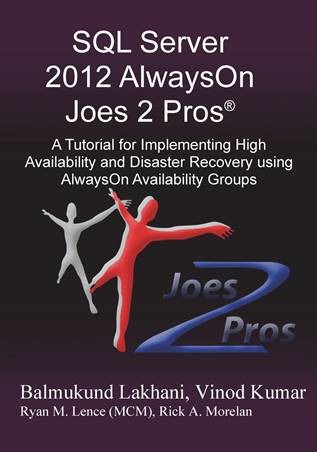
It has been close to an year of writing and multiple reviews, my book on “SQL Server 2012 AlwaysOn Joes 2 Pros®: A Tutorial for Implementing High Availability and Disaster Recovery using AlwaysOn Availability Groups” is finally available on Amazon.

Reason of this blog is to answer two common questions which would be asked by my friends – “How?” and “Why?”

“How” –

A little spark was ignited when me, Vinod (b|t). and Pinal (b|t) were sitting together after a User Group meeting and thinking – what can be done to share the knowledge. Pinal and Vinod were already a well-known blogger and author. I said in feeble voice – I may have some additional knowledge on AlwaysOn, how about a book on this topic? … all of us agreed and journey started.
Thanks to Vinod and Pinal for the spark of inspiration to set me off into looking things from different perspective. I wouldn’t have thought to become an “author” without your support. 

After take off of the project, table of content of 5 chapters were prepared and we have taken task to write everything about the feature. I got my home PC upgraded to better RAM so that I can use my home PC for Hyper-V images which were needed for the book. We targeted 100 page and during weekly checkpoint meeting we always thought “something is missing” … after reaching 500+ pages, we felt that we have covered almost everything about the feature which can bring a starter to intermediate level.  Decision was taken to increase the page size and trim down the number of pages without compromising quantity and quality of knowledge. Lots of hours spent on emails, phone calls, chat, internet research, books-online reading, blogs reading to make fine prints. Finally, after an year of hard efforts, book was ready to be published. In paperback as well as kindle version.

“Why” –

It feels good when someone meets and says – “You blog helped me in fixing a problem”. Being a part of SQL Server technical support team, I felt that there is not much “organized” content on AlwaysOn feature. I spoke to many folks and sensed a “fear” of this new feature. There are various blogs on the same topic and books online also has lots of content. By writing this book and sharing my knowledge , I feel that I am doing my part for the community which is driven by passionate people and MVPs.  I love technology, SQL Server and its features. There were many questions asked and being of a very tidy disposition, I liked to have them answered. That’s why we added a new chapter in the book for FAQs along and there were around 70+ questions.

What we have in the book?

Here is the crisp summary of the book.

clip_image001

18 Chapters at a Glance

Chapter 1. High Availability and Disaster Recovery Concepts
Chapter 2. Existing High Availability and Disaster Recovery Options
Chapter 3. What is AlwaysOn?
Chapter 4. Understanding Quorum Models
Chapter 5. AlwaysOn Availability Groups
Chapter 6. Availability Group (AG) Actions on the Secondary
Chapter 7. Deploying AlwaysOn Availability Groups
Chapter 8. Features of AlwaysOn Availability Groups
Chapter 9. AlwaysOn Monitoring and Troubleshooting
Chapter 10. AlwaysOn Diagnostics
Chapter 11. AlwaysOn Advanced Monitoring
Chapter 12. Deployment Variations of AlwaysOn
Chapter 13. AlwaysOn Common Issues
Chapter 14. Availability Group Failover
Chapter 15. Migrating from Previous High Availability Scenarios
Chapter 16. AlwaysOn Availability Group Maintenance Activities
Chapter 17. AlwaysOn – FAQs
Chapter 18. SQL Server 2014 – AlwaysOn Enhancements Teaser


How can you get it?

At this moment we don’t have any other channel to publish this book in India. Our publisher is in constant pursuit to look for alternatives, till then Amazon will the only channel.
Print Book: Amazon
e-Book: Kindle

You can read first two chapters for free on amazon via LOOK INSIDE feature on kindle edition.

image


I truly hope that it would help many DBAs in the world to get started with AlwaysOn Availability Group feature and deploy as high availability + disaster recovery in the environment.

Before I conclude this blog post, I want to specifically call out name of few people from my management team who have backed me in this adventure of learning and sharing via this book – Sri Krishna Jagannath (Team Manager – SQL Support), Rahul Jacob (Team Manager – SQL Support), Xavier S Raj (Escalation Manager – SQL Support), Ranjan Bhattacharjee (Group Manager – Developer Support). It would have been impossible to deliver this book without their unconditional support.

Last, but not the least, Special Thanks to my wife and daughter for being supportive through out this journey!


Cheers,
Balmukund Lakhani
Twitter @blakhani

Posted in AlwaysOn, Denali, Introduction, SQL Server, SQL Server 2012, Step by Step, TechEd | 11 Comments »